API Settings
API tokens authenticate the REST API and the MCP server. Create them at vm.massedcompute.com/settings/api.
The canonical GPU inventory URL is:
https://vm.massedcompute.com/api/v1/gpu-inventory
That host is vm.massedcompute.com — not api.massedcompute.com.
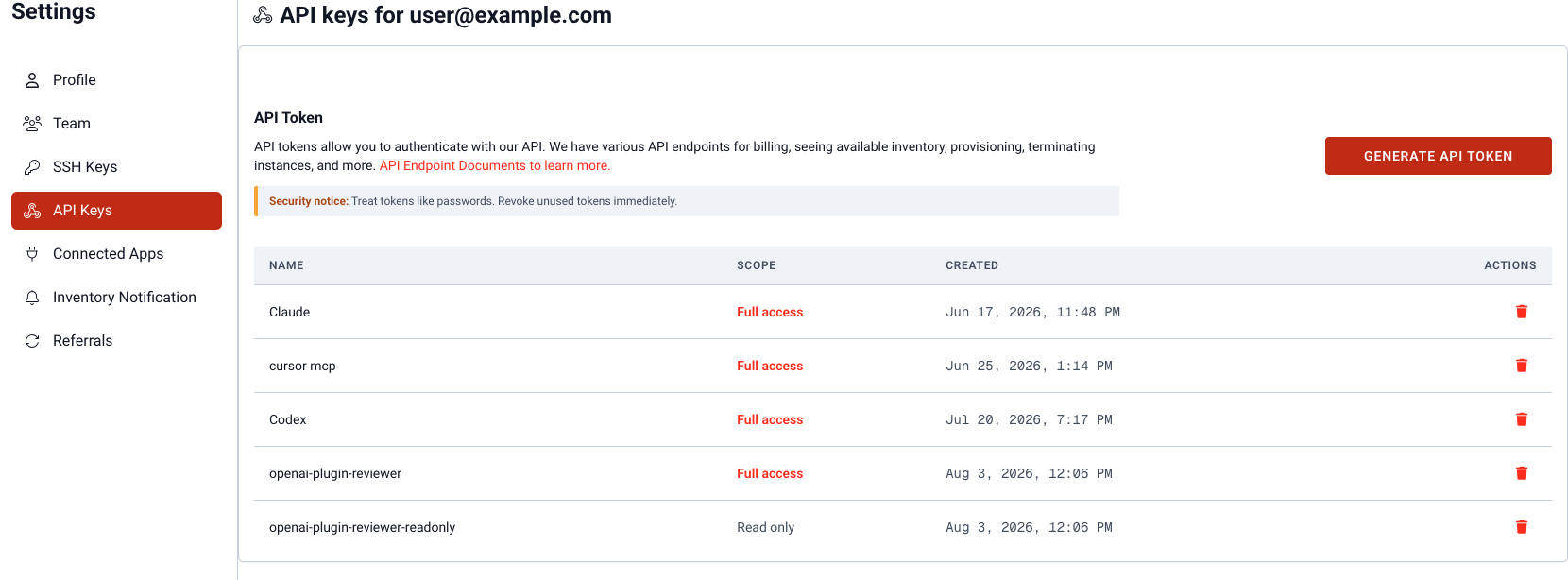
API Settings — create and revoke tokens.
Generating a token
Click Generate API Token. Name the token, then pick a scope:
- Full access — can launch, restart, and terminate instances and manage SSH keys. Can incur cost.
- Read only — non-mutating endpoints only. Use this when sharing a key with an AI assistant.
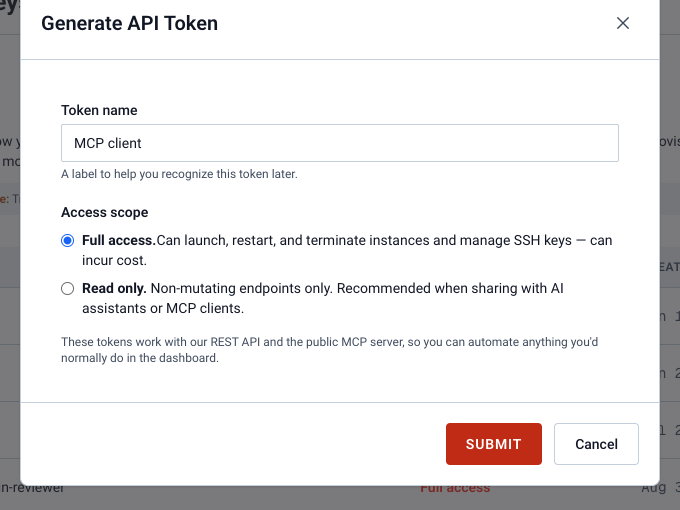
Generate token — name it, then pick Full access or Read only.
Copy the token after it is created
The token is shown once after Submit. Copy it immediately. We do not screenshot that screen because the value is a live secret.
Deleting a token
The trash control on the token table revokes that token immediately.
OAuth apps (no pasted token) are listed separately under Connected Apps.