GPU Finder
Not sure which GPU to rent? Open GPU Finder in the Tools section of the sidebar at vm.massedcompute.com/gpu-finder.
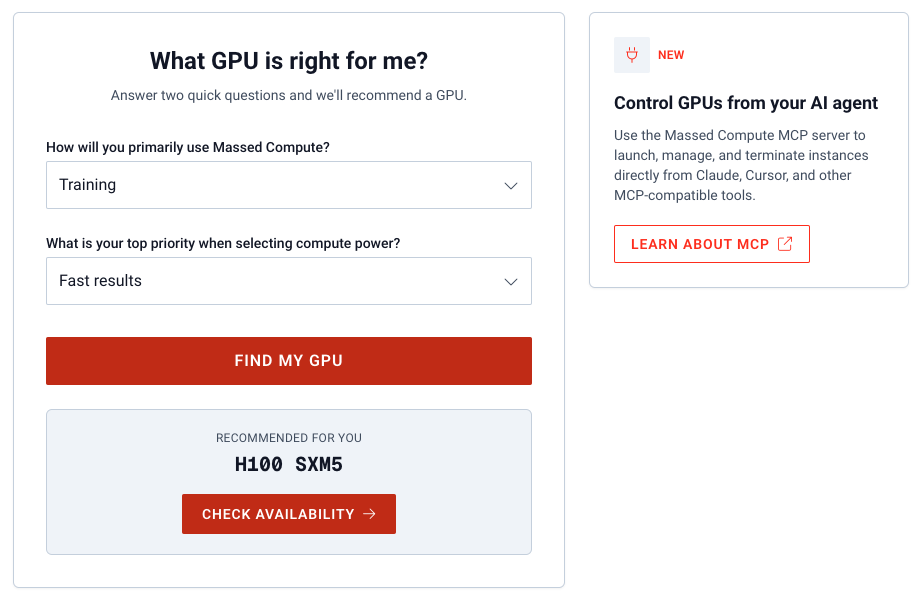
It asks two questions and recommends a GPU SKU from current inventory-style options.
How to use it
- How will you primarily use Massed Compute? Training, Inference, Machine Learning, Rendering or visual effects, Something else, or Just exploring for now.
- What is your top priority? Fast results, Lower cost, Large memory capacity, Scalability, or Not sure.
- Submit to see a recommended GPU (for example L40, H100 SXM5, RTX A6000).
The recommendation is a starting point, not a lock-in. Open Deploy and pick the actual GPU type, quantity, and image yourself.
For agent-driven GPU picks from live inventory and pricing, use the MCP server and the mc-pick-gpu skill.