Connected Apps
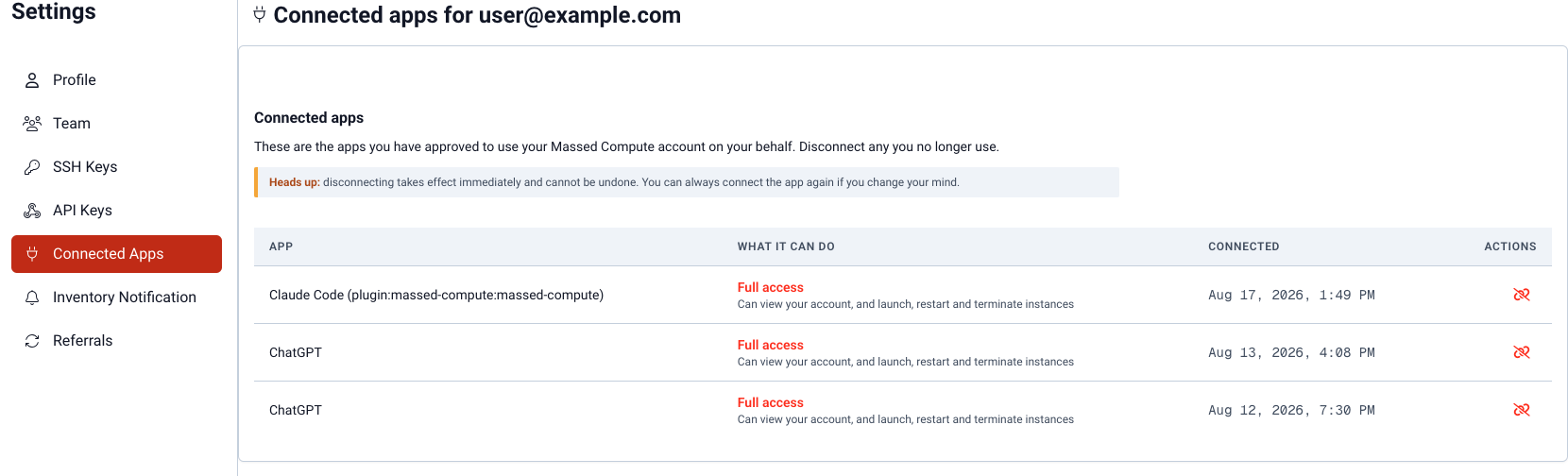
Settings → Connected Apps at vm.massedcompute.com/settings/connected-apps lists AI clients and other apps that received an OAuth grant to your Massed Compute account.
This is the OAuth counterpart to API tokens. Tokens you paste into a config file live under API Keys. Apps that completed a sign-in / consent flow live here.
What you will see
Each row is one grant:
- The app's name
- Full access — can view your account and launch, restart, and terminate instances
- Read-only access — can view instances, GPU inventory, images, and billing
Those labels match the consent screen you approved when the app connected.
Disconnect
Use Disconnect on a row to revoke that grant. The app cannot call MCP as you until you consent again.
If you never completed an OAuth connect, this list is empty — that is expected. Use API Settings for Bearer tokens instead.
For how clients connect, see MCP setup.