Team
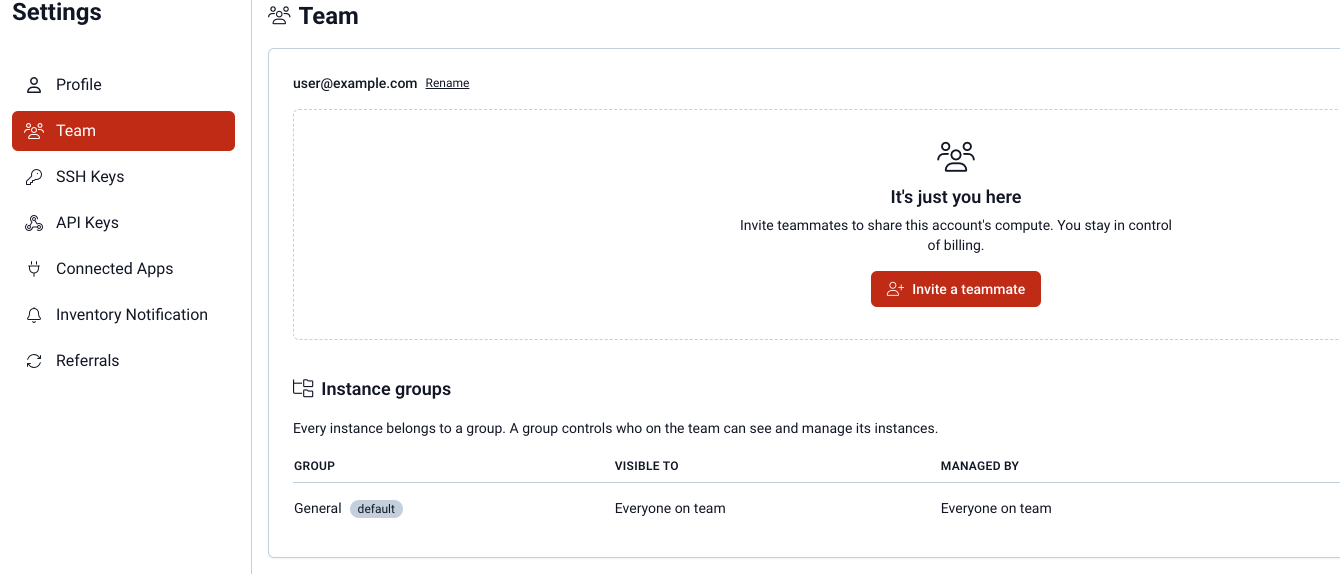
Settings → Team at vm.massedcompute.com/settings/team is how you share one account's compute with other people. Billing stays with the owner. Members never see billing.
Roles
| Role | What they can do |
|---|---|
| Owner | Full control, including billing, invites, groups, and transferring ownership. |
| Admin | Helps run the team: instance groups, invites, and member permissions (configurable). |
| Member | Sees and manages instances through the groups they can access. Never sees billing. |
The Manage persistent storage permission lets a member create, delete and move Persistent Storage, and attach or detach it on existing instances, in groups they manage. It is on by default for owners and admins and off for members. An owner or admin can turn it on per member.
Invites go out by email. Pending invites show on the same page until they are accepted, resent, or revoked.
Instance groups
Every instance belongs to a group. A group controls who on the team can see and manage those VMs.
- Create groups under Instance groups on the Team page.
- One group is the default — new launches land there unless you pick another on Deploy.
- Visibility can be the whole team, admins only, or a custom list.
If more than one group is available to you, Deploy shows an Instance group picker.
Owner-only
- Rename the account.
- Transfer ownership (danger zone at the bottom of Team).